

A lead called Tuesday. Nobody knows who owns it.
Leads come in through a form, a call, or an ad — then sit in an inbox until someone remembers to follow up, or nobody does.
Explore this business problem ↗
For cleaning, turnover and home-service teams
The Forge is business management software for customer details, estimates, jobs, schedules and invoices. Keep the information your team needs together, from the first request to the bill.
Get a free plan recommendation
Configured for your industry. Connected to the systems you keep.
Improved with you long after launch.
FROM ESTIMATE TO THE NEXT JOB
Not sure which plan fits?Get a free Forge Fit Review, or go deeper with a$249 Operational Blueprintthat applies toward your plan.
Cancel any time.Your records stay exportable. Nothing switches over until you approve it.Refund policy.
Illustrative walkthrough · Example records and amounts. Not a live product screen or customer results.
Ferreira Landscaping
Spring cleanup, 4 crew hours
Redwood HOA
Irrigation repair, block C
Community roofing job
Shingle replacement, 2 units
Invoice #2203 overdue
Redwood HOA, 12 days past due
Job #1044 missing signature
Community roofing job
Payment method declined
Alvarez residence, retry scheduled
Quote waiting on your approval
Ferreira Landscaping, spring cleanup
Revenue this month
$18,420
Missed follow-ups. Late invoices. Answers scattered across inboxes. Start with the problem costing your team time.
Leads come in through a form, a call, or an ad — then sit in an inbox until someone remembers to follow up, or nobody does.
Explore this business problem ↗
Work moves from sales to scheduling to delivery, and each handoff loses time because every team is working from a different system.
Explore this business problem ↗
Owners piece together sales, work, and money by asking around and building spreadsheets, instead of checking one dashboard.
Explore this business problem ↗Open the customer, check the estimate, see the work. The details stay linked.
Keep estimates and invoices beside the customer record, so the next conversation starts with the right information.
This example explains the steps. Confirm the tools and setup your team needs before relying on them.
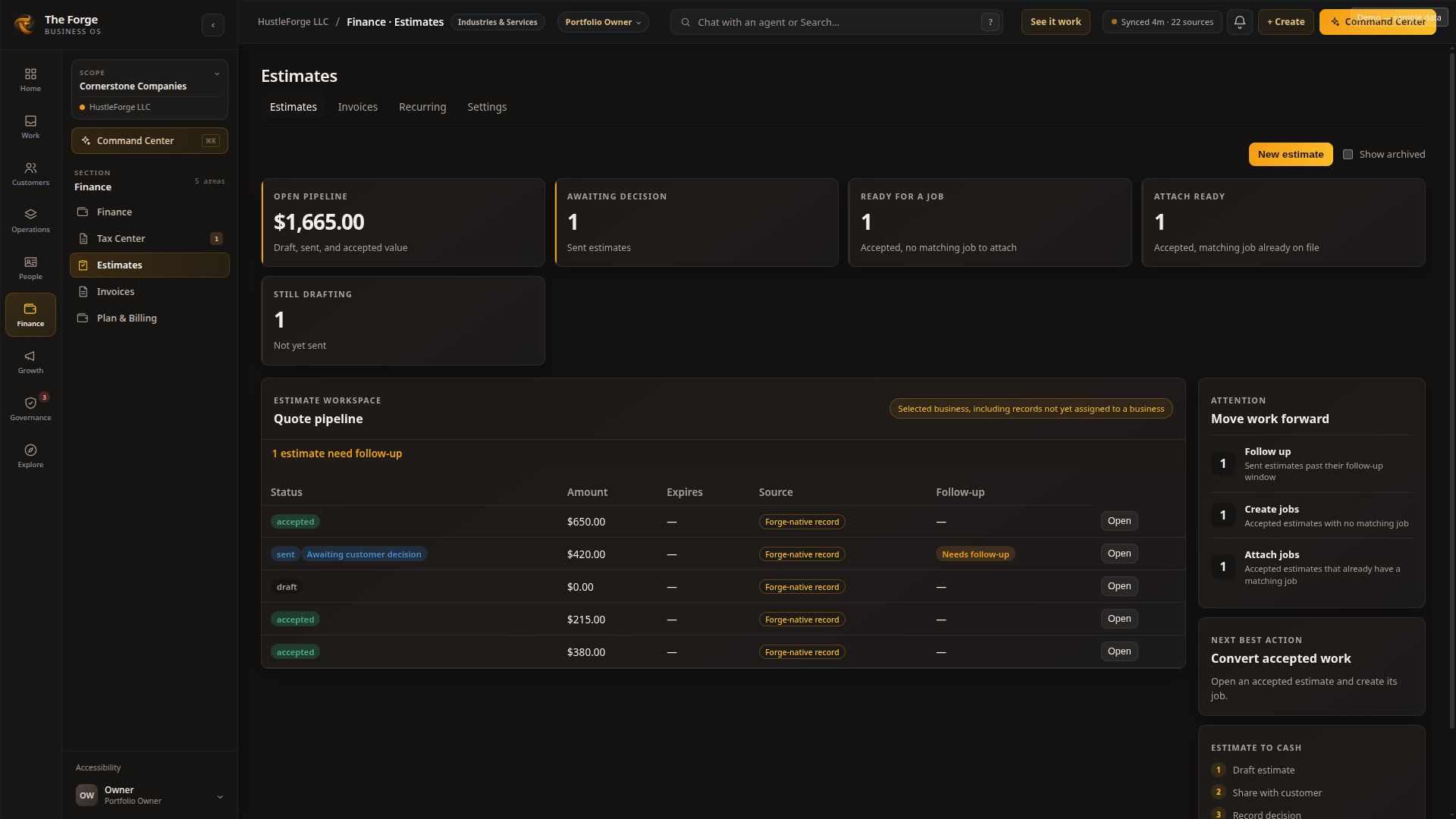
See which estimates need follow-up and which accepted estimates are ready for the next job action.
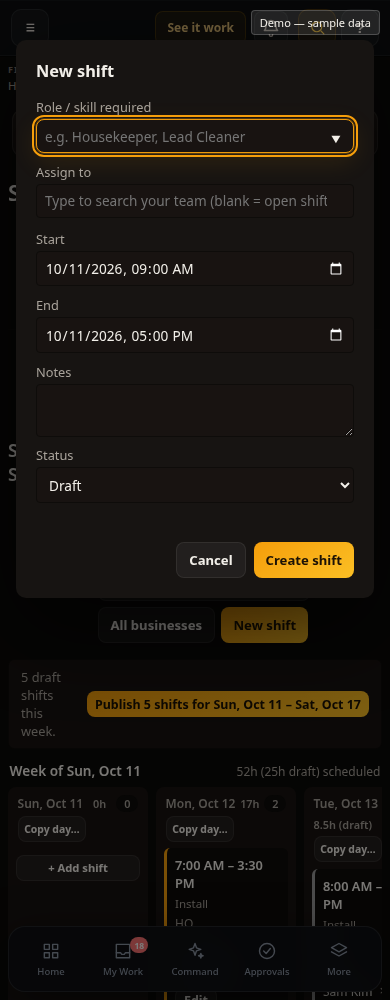
Bring assigned, draft and open shifts into view when planning the team’s day.
This is a scheduling example; it does not show a schedule being published. Confirm the features and setup available to your team.
Keep track of materials ordered, received and used for a job. Stock purchasing and job purchasing have separate records.
Bring job-linked invoices, time costs and materials into the job’s financial picture. Complete records help make that picture useful.
Features depend on your plan, permissions and setup. Sample screens and conceptual illustrations are not proof of production availability.
Lead requests, campaigns and calls start different journeys. Confirm each supported connection and handoff in your setup; complete cross-channel revenue attribution remains unverified.
Lead → Customer → Work → Invoice → Payment
Keep today’s work connected. When a workflow needs to change, bring that need into the conversation about what comes next.
The Forge is set up around how your business already works. Explore the people, workplaces and operating models behind each industry.

Home Services (HVAC, plumbing, electrical) · Roofing · Cleaning · Landscaping · Handyman · Solar Installation · Painting · Pest Control
Explore this family ↗
Construction · Specialty Contracting · Architecture & Engineering · Property Management · Real Estate Brokerage · Property Developer · Facilities Management · Property Owner Association
Explore this family ↗
Specialty Retail (book, clothing, toys) · Grocery · Hardware & Building Supply · Furniture Store · Distribution · Metal & Furniture Manufacturing · Food & Beverage Production (incl. brewery) · Custom Products & Corporate Gifts
Explore this family ↗
Restaurants · Bar & Pub · Catering & Events · Hotel & Guest House · Fitness & Sports Club · Beauty & Hair Salon · Therapy & Counseling · Pet Grooming
Explore this family ↗
Dental · Medical Practice · Veterinary · Sober Living · DUI & Substance Education Programs · Pharmacy · Eyewear
Explore this family ↗
Accounting · Law Firm · Marketing Agency · HR & Recruiting · Insurance · Professional Services · Private Education · Churches & Nonprofits
Explore this family ↗Explore the business problems and configuration described for your industry. Features and availability vary.
Nobody starts a company to spend their days being the glue that holds the whole thing together. You grab whatever works in the moment, the tools compound for a year, and the frustration becomes the routine — “it’s been working.” Except you’re what’s been working: the owner ends up keeping every moving part in their head. The Forge exists so the system holds the business instead.
Customers, work and money together. Features depend on plan, setup and availability.
Customer records, daily work, team chat, recognition and industry blueprints, without another spreadsheet for each handoff.
Set who handles the work, what they record and who approves the next step.
Keep payroll, accounting, payment and industry tools. Add supported lead, campaign, inventory and finance connections as your setup grows.
Keep using QuickBooks Online for your accounting. With Forge Pro, import your customers and invoices into The Forge. This import leaves your QuickBooks records unchanged.
Track jobs and estimates in The Forge, with estimates linked to a job or lead. You don’t need a separate quoting tool for that work.
With Pro, connect your own Stripe account using a restricted key you control. See the integrations directory for supported connections.
Find the accounting, payroll and payment connections that fit the tools you keep.
QuickBooks customer and invoice imports are read-only on Pro. Other logos include connections needing assessment or setup; a logo does not mean it is ready to connect. Check the directory before choosing a provider.
Explore all system categories:
Tell us what your business needs. Eligible accounts can submit requests, discuss the work and follow the recorded status. Your feedback helps inform priorities; it does not guarantee a feature or a delivery date.
See How The Forge EvolvesWhat would you like The Forge to solve?
Ask The Forge is an AI assistant. Answers are generated from published Forge information and may be incomplete. Do not submit confidential, regulated, or customer-specific information.
Illustrative common pathway — not a live request or a delivery commitment.
Describe the work that needs to change.
An evaluated need is accepted for planning.
Follow the updates available for your request.
Available to your company after its rollout.
Not every request follows this path. The company roadmap can also show Waiting for your input, Deferred, Not planned or Resolved with existing functionality. These are alternative outcomes, not mandatory steps toward release. Status does not establish a delivery date.
Choose who can see, change and approve the work.
Visit the Trust Center ↗Control what each person can view, change, and approve.
Your business decides who gets access to which customers, work, and records.
Financial and sensitive actions wait for approval from the person you choose.
Reach The Forge through a supported browser over an encrypted connection — no local install required.
Keep access to the customer, work, and financial records your business places into the platform.
Your data stays yours — exportable, permissioned, encrypted. How we handle Google account data.
Tell us how you operate today. We’ll map exactly what The Forge connects — before you spend a dollar.
Forge Plans are prepared individually for your business.